A single noise complaint can escalate into a stop-work order, a fine, or a lawsuit. Seattle's noise ordinance, for example, authorizes stop-work orders when a violation threatens health or safety, with citations that stack up fast for repeat offenses. This isn't a paperwork exercise. It's project risk management.
This guide covers the tools you need, three core monitoring methods (spot-check, continuous, and personal dosimetry), how to read the numbers, and the setup mistakes that quietly invalidate good data.
Key Takeaways
- OSHA's action level is 85 dBA (8-hour TWA); the permissible exposure limit is 90 dBA
- Sound level meters handle spot checks and area surveys; dosimeters track individual worker exposure
- Continuous remote monitoring is the standard for ongoing community and permit compliance
- Calibrate before and after every session — drift over 1 dB can invalidate your readings
- Match your instrument settings to the correct standard: OSHA rules and local ordinances aren't interchangeable
What You Need to Monitor Noise
Before picking up any equipment, figure out what you're actually measuring for. Worker exposure compliance under OSHA requires different tools and placement than a community noise ordinance tied to a construction permit. Both require unobstructed access to the noise source and the surrounding area — you can't get accurate readings from behind a wall or a running generator.
Tools and Indicators Required
Your core equipment list depends on the monitoring type, but generally includes:
- Sound level meter (SLM) rated Type 1 (precision, roughly ±1 dBA) or Type 2 (general purpose, roughly ±2 dBA)
- Noise dosimeter built to ANSI S1.25 for personal exposure tracking
- Acoustic calibrator matched to the meter's class
- Weatherproof windscreen to prevent wind-inflated readings
- Tripod or fixed enclosure for stable, repeatable placement
- Data logger or cloud-connected unit for continuous, unattended sites
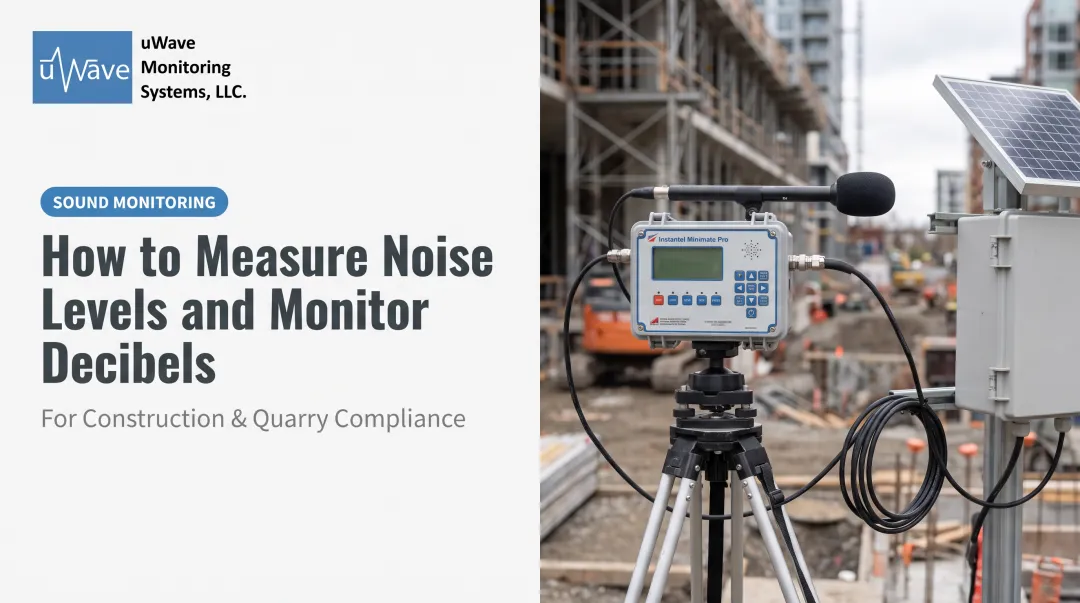
For continuous monitoring on active job sites, you're also looking at a weatherproof enclosure, solar or battery power, and cellular connectivity for real-time data delivery.
This is where uWave Monitoring Systems' V3 and V5 remote stations come in: lockable enclosures built around a 30-watt solar module, a 12-volt battery, and a cellular modem. They're designed to run unattended for weeks at a time.
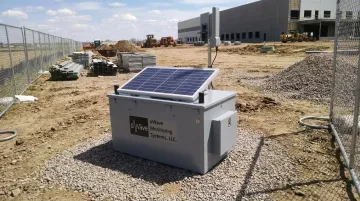
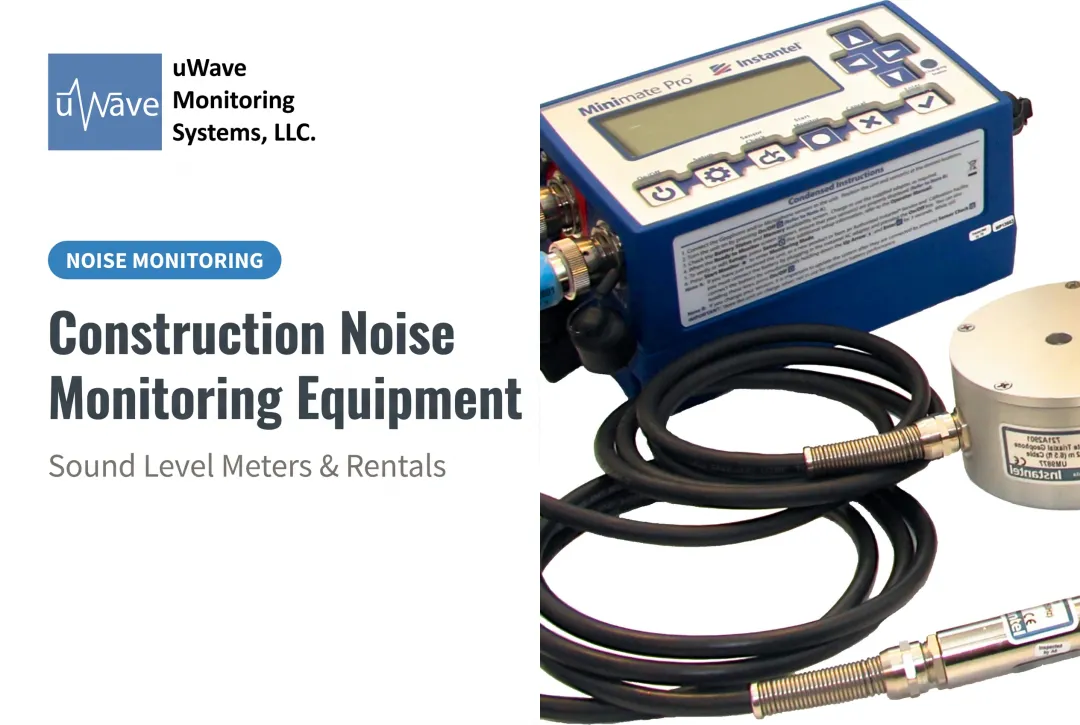
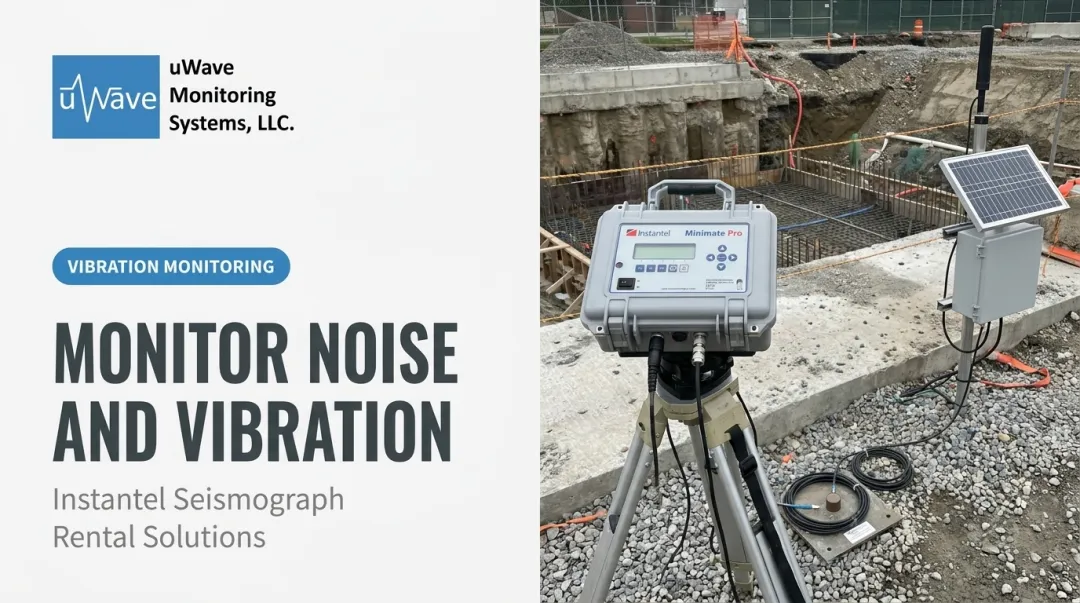
Sound level microphones pair directly with Instantel instruments like the Micromate, combining vibration and noise readings on the same unit.
Preconditions and Setup
Confirm your applicable limit first. This single decision determines your instrument settings and where the microphone goes:
- Identify the standard: OSHA action level, a local ordinance, or a permit condition
- Position the microphone correctly: near-ear height for occupational readings, or 1-3 meters from the source for area surveys, away from reflective surfaces
- Calibrate immediately before and after the session and document both readings
A drift of more than 1 dB between the pre- and post-check usually signals an instrument or calibrator problem. Toss the session's data if that happens, and log it anyway.
Methods to Monitor Noise
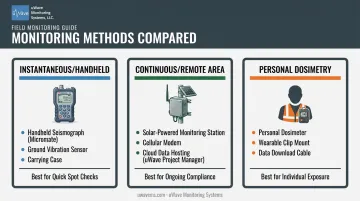
Your method depends on the question you're answering: is this a quick spot check, ongoing project compliance, or documentation of one worker's exposure? Each requires different equipment and a different level of commitment.
Method 1: Instantaneous (Handheld) Sound Level Monitoring
It's the fastest way to get a real-time snapshot at a specific point.
Tools needed: Type 1 or Type 2 SLM, calibrator, windscreen.
Steps:
- Calibrate the meter and set it to A-weighting, slow response
- Hold the meter at arm's length, at ear height, 1-3 meters from the source
- Record readings at multiple points and times to catch worst-case conditions
It's fast and cheap for screening tasks or ranking noise sources. The tradeoff: one instantaneous reading can't calculate an 8-hour exposure average or prove ongoing compliance.
Method 2: Continuous/Remote Area Monitoring
A fixed, weatherproof SLM station left on-site to track ambient noise against a compliance threshold around the clock. This is the go-to method for construction, mining, and infrastructure projects near residential neighborhoods.
Tools needed: Weatherproof Type 1 SLM with data logger, solar or battery power, cellular connectivity, alert software.
Steps:
- Install the monitor at the property line or receptor location specified in the permit
- Configure alert thresholds with automated email or text notifications for exceedances
- Review cloud-hosted data remotely and generate reports for regulators or stakeholders
This method is best for demonstrating ongoing compliance and catching problems before they become violations. uWave Monitoring Systems provides this kind of field-to-cloud monitoring through remote rentals with automated alerts and 24/7 access via its Project Manager platform. The catch: it requires more upfront setup and site access for installation than a handheld check.
Method 3: Personal Noise Dosimetry
Personal dosimetry measures one worker's cumulative exposure across a full shift, and it's what OSHA hearing conservation determinations are built on.
Tools needed: ANSI S1.25 dosimeter, calibrator.
Steps:
- Attach the microphone to the worker's shoulder, within 30 cm of the ear
- Set the exchange rate, criterion level, and threshold per the applicable protocol (OSHA vs. NIOSH)
- Retrieve the data at shift's end and calculate the 8-hour TWA
Dosimetry gives you the most accurate individual exposure data and is required for enrolling workers in a hearing conservation program. It's not built for tracking site-wide or community noise limits, though. That's a job for area monitoring instead.
How to Interpret the Results
Misreading a noise result isn't a minor error. It can mean missing an OSHA violation, exposing workers to preventable hearing loss, or facing a fine for a community noise breach you didn't know you had.
| Reading Range | Status | Action |
|---|---|---|
| Below action level/ordinance limit | Normal | Continue routine monitoring intervals; log results |
| 83-85 dBA, or calibration drift near 1 dB | Minor issue | Increase monitoring frequency; investigate the source |
| At or above OSHA action level/PEL or ordinance limit | Out-of-spec | Trigger hearing conservation enrollment, controls, or notify compliance officer |
At 85 dBA as an 8-hour TWA, OSHA's standard requires a continuing hearing conservation program — baseline and annual audiometry, hearing protectors at no cost, annual training, and full record-keeping. Employers must treat that threshold as a mandatory compliance trigger.
Above the 90 dBA permissible exposure limit, feasible engineering or administrative controls become mandatory, with personal protective equipment serving only as a supplement.
These workplace thresholds cover job-site exposure, but community noise ordinances follow separate rules entirely. For community readings, don't average local ordinance limits across jurisdictions; each city sets its own thresholds by zone type.
Seattle's exterior noise limits illustrate the range:
- Residential-to-residential sources: 55 dBA
- Industrial-to-industrial sources: 70 dBA
These figures apply only within Seattle's city limits, and other jurisdictions set their own thresholds.
Common Errors and Best Practices
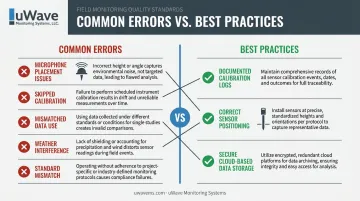
Most bad readings come from setup mistakes, not broken equipment. Here's where teams usually go wrong:
- Microphone placement — too close to a reflective surface, or at the wrong height and distance from the source
- Skipped calibration — no pre- and post-use check, or drift that goes undocumented
- Mismatched data use — applying area monitoring readings to individual worker exposure determinations for mobile employees
- Weather interference — wind or rain distorting readings without a proper windscreen or enclosure
- Standard mismatch — using OSHA settings for community compliance monitoring, or vice versa
Best practices that fix most of this:
- Keep a documented calibration log for every session, every instrument
- Position the sensor exactly per the applicable standard's requirements — no shortcuts
- Store data somewhere secure and backed up, ideally a cloud-hosted platform like uWave Project Manager, so you can pull records instantly if a regulator or neighbor disputes a reading
Secure, cloud-based storage matters more than it sounds. When a project faces a noise complaint months later, having timestamped, backed-up records is often the difference between a quick resolution and a drawn-out dispute.
Conclusion
Accurate noise monitoring protects your workers' hearing, keeps your project compliant with OSHA and local ordinances, and prevents the kind of citation or delay that eats into a schedule and a budget.
Reliable monitoring comes down to matching the tool to the job (a spot check, continuous area monitoring, or personal dosimetry) and calibrating consistently every time.
Responding quickly matters just as much when a reading crosses the line. Immediately enroll a worker in a hearing conservation program, or adjust site operations to get back within community limits. Real-time alerts, like uWave Monitoring Systems' cloud-hosted platform, mean no one has to wait on a borderline reading.
Frequently Asked Questions
How do you monitor noise levels?
Use a sound level meter for spot checks and area surveys, or a noise dosimeter for personal worker exposure. Continuous remote systems handle ongoing project compliance without requiring someone on-site around the clock.
How often should noise levels be monitored?
OSHA requires re-monitoring after any change in equipment, process, or staffing that could raise exposure. Many sites also refresh surveys every 1-2 years, or run continuous monitoring, as a matter of best practice.
What is the OSHA standard for noise monitoring?
29 CFR 1910.95 requires monitoring when exposure may reach the 85 dBA action level, using A-weighted, slow-response instruments, a 5 dB exchange rate, and a 90 dBA criterion level.
What is the difference between a sound level meter and a noise dosimeter?
A sound level meter captures noise at a fixed point or moment in time. A dosimeter is worn by a worker throughout a shift to calculate cumulative personal exposure.
Do construction sites need noise monitoring beyond OSHA requirements?
Yes. Many municipalities and permits (New York City's construction noise monitoring rule is one example) impose separate community limits requiring continuous perimeter monitoring independent of OSHA compliance.
Can I rent noise monitoring equipment instead of purchasing it?
Renting is often more cost-effective for short-term projects. uWave Monitoring Systems offers complete remote monitoring system rentals with cloud-hosted data and automated alerts for construction and infrastructure sites.